+1 845 259 2974 (11 a.m to 7 p.m CST)

Best Math Apps for iPad: A Parent’s Guide to Screen Time That Actually Pays Off
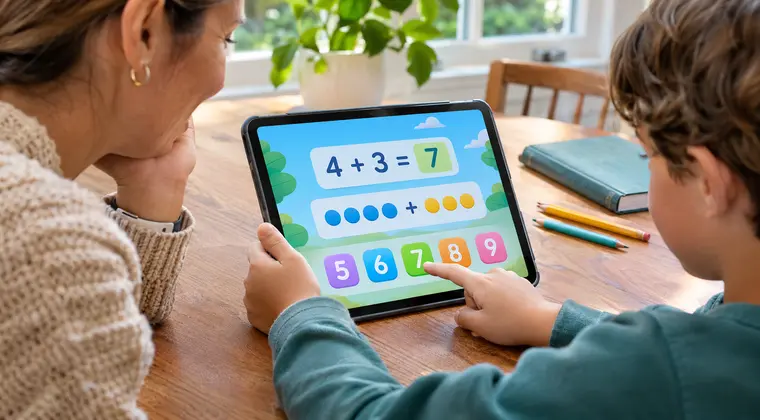
Your teen spends hours on the iPad. You know this. You see the glow at midnight, the AirPods in during dinner, the thumbs scrolling at breakfast. Most of that time is spent on apps that give them nothing back.
A math app will not fix every habit. It will not replace sleep or restore a lost evening. But a well-chosen math app can turn a slice of that same screen time into something your teen will thank you for in ten years. A better grade. A quieter homework night. A kid who feels capable instead of defeated.
This guide covers seven iPad math apps worth putting on your teen’s device, chosen for teen and tween learners, with notes on younger siblings and remediation. All seven are real iOS apps on the App Store. Pricing moves around, so verify in the app before you buy.
At a Glance: 7 Math Apps Worth the Screen Time
Scan the table, then skip to whichever rows match your teen.
1. MathHero

MathHero is a story-driven game where ages 5 to 10 earn their way through a world by solving short sets of math facts. The mechanic shifts across the game: a correct 6 + 7 = 13 helps a character cross a bridge, a correct 48 ÷ 6 = 8 opens a chest with coins, a correct 7 × 9 = 63 unlocks a new outfit for the hero. The math is what moves the story.
For a teen household, two honest use cases:
- A younger sibling has a quality, ad-free game of their own. No in-app purchase pressure, no social features, no outside messaging. For an 8-year-old alongside a 14-year-old, your household screen-time rules get easier.
- A teen with gaps in arithmetic can use it for quiet remediation. A middle schooler who still counts fingers for 7 × 8 loses points on every test. Fifteen minutes a day on MathHero fixes that, without the embarrassment of being told to “practice your times tables.”
Some children need additional support with basic math concepts. Understanding learning difficulties in kids can help parents choose suitable activities and learning tools.
Practical details that matter in a shared household:
- Separate profiles per child, each with its own operations, number range (within 10, 20, 100, or 1000), and difficulty.
- Free at 5 levels a day with no ads or locked content; a subscription removes the cap (verify current price in the App Store).
- Full offline use after the initial download.
- Covers addition, subtraction, multiplication, and division within 1000. Does not teach counting from scratch or cover fractions, geometry, or algebra.
For teens past arithmetic, keep moving down this list.
2. Khan Academy

Khan Academy is the free app that covers math from third grade through calculus and SAT prep. Short instructional videos, mastery-based practice, and a dashboard that shows what your teen has worked on.
Why it belongs on every teen’s iPad:
- Fully free, forever, no ads. Khan Academy is a nonprofit.
- Covers pre-algebra, algebra 1 and 2, geometry, trigonometry, pre-calculus, calculus, and statistics.
- Mastery tracking lets you (and your teen) see where they are strong and where they need more work. Replaces a lot of what a tutor’s initial assessment would tell you.
- Teen can study independently; a parent can review progress without hovering.
The honest limit: a teen who hates sitting through video lessons will not love Khan Academy. For those kids, pair it with Photomath or Brilliant. If your teen struggles to enjoy the subject, explore these fun ways to make math exciting beyond traditional lessons.
3. Khan Academy Kids

For the younger sibling in the house. Khan Academy Kids covers pre-K through roughly first grade: counting activities, basic concepts, shape sorting, early reading. Fully free, no ads, no in-app purchases. The animal characters are the thing a 4-year-old talks about at dinner.
If you only have teens at home, skip this one. If you have a 4-year-old or 6-year-old alongside your teen, this is the right starting point for them.
4. Photomath

Photomath is the homework rescue app. Point the iPad camera at a handwritten or typed math problem and the app shows the answer plus a step-by-step method. It covers arithmetic through calculus.
How it should and should not be used:
- Right way. Teen attempts a problem, gets stuck, scans it, reads the step-by-step walkthrough, then tries the next problem alone.
- Wrong way. Teen scans every problem on their homework, writes down the answers, never thinks.
Set the house rule up front. Used as a hint, Photomath saves a 45-minute meltdown. Used as a crutch, it hollows out learning. Free tier covers basics; Photomath Plus adds animated tutorials for a subscription (verify current price in-app).
5. Brilliant

Brilliant is a visual, interactive STEM platform designed for teens and adults who want to actually understand math rather than just memorize procedures. Interactive problems in math, data, computer science, and science. If your teen is bright, bored in school, and asking “why do we need this?”, Brilliant is the answer.
Quick facts for parents:
- Age range: typically 13 and up for the main courses, though motivated younger kids can handle it with help.
- Lessons are 10 to 15 minutes each, delivered as puzzles rather than lectures.
- Free download with a limited free tier; most content requires a Brilliant Premium subscription (verify current price in-app).
- Rated 4.7+ on the App Store with over 10 million users worldwide.
Brilliant is the iPad app I would hand a teen who is already strong in math and needs to be stretched, or who is skeptical of school math and needs to see where it leads.
6. Desmos

Desmos is the free graphing calculator that has quietly become the standard for middle school and high school math classrooms. Pinch to zoom a parabola, drag a slider to see a coefficient change, overlay a scatter plot on a regression line.
Why it earns the download:
- Free, no subscription, forever.
- Replaces a $100 handheld graphing calculator and does more.
- Works offline for the calculator; Desmos Classroom activities need an internet connection.
- Standard tool in many US classrooms, so your teen may already know it from school.
Desmos assumes a middle school math vocabulary. For a 10-year-old it will not land; for a 13-year-old doing pre-algebra, it clicks immediately.
7. GeoGebra

GeoGebra combines geometry, algebra, statistics, and calculus into one iPad experience. Build a triangle, measure its angles, drag a vertex, and watch every measurement update live. Overlay a function on a scatter plot. Prove why the inscribed angle is half the central angle.
Why it belongs in a teen’s math toolkit:
- Free, no subscription, works offline for most tools.
- Covers grade 6 through high school and beyond.
- GeoGebra Classroom lets teachers set up interactive assignments; GeoGebra Materials gives you thousands of ready-made activities.
The learning curve is real. GeoGebra rewards a focused prompt more than open-ended exploration. For a visual-thinking teen taking geometry, it makes the subject click in a way textbooks cannot.
Which Math App Fits Your Teen’s Situation?
Use this matrix to decide quickly which math apps belong on your teen’s iPad.
If your teen hates math on principle, this guide on who invented math is a surprisingly good reframe for the “why do I even have to learn this” conversation. Sometimes the problem is not the math itself but the story around it.
What a Healthy Math-App Routine Looks Like
Installing the app is the easy part. Keeping it part of your teen’s week is harder. A few things that work:
- Short, consistent sessions. Fifteen to twenty minutes a day on a math app beats a weekend marathon every time.
- A set time. Right after school, before dinner, or as the first thing after screens are allowed. Any consistent slot works better than “whenever.”
- A visible checkpoint. A weekly “show me what you worked on” conversation keeps the app from becoming invisible.
- Phone and iPad separated. The math app lives on the iPad, not next to Instagram on the phone. Fewer temptations to switch tabs.
- Parental screen time controls set thoughtfully. Whatever tool you use, mark the educational apps as unrestricted and limit the social apps that compete with them.
Parents who want more control over device usage can explore iPad and iPhone parental controls to establish screen-time boundaries and safer digital routines.
Your teen does not need to love math to improve at it. They need to touch it most days, in low-pressure doses, with the right tool in front of them.
Final Thoughts
The best math app for your teen is the one that stays on the home screen past the first week. Start with Khan Academy and Photomath for most teens. Add Brilliant if your teen is strong and bored. Add Desmos or GeoGebra when they need a calculator or a visual sandbox. Add MathHero for the younger sibling or for the teen who needs to shore up weak fundamentals.
Screen time is not inherently bad. It is only wasteful when the apps on the screen give nothing back. A math app, used fifteen minutes a day, is one of the quietest and most durable things you can put on your teen’s iPad.